Darshan Tech Solution
Apply Land Measurement / Patta Transfer
YouTube Video
Apply Land Measurement / Patta Transfer
1. Visit the Tamil Nilam Citizen Portal
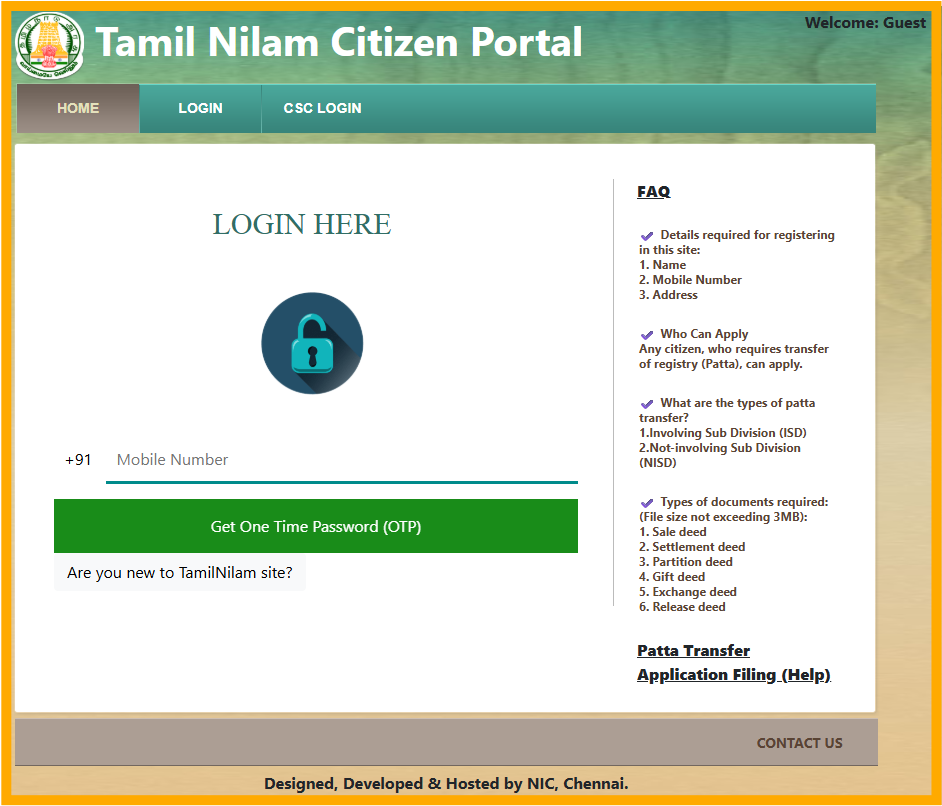
2. Click Are you new to Tamil Nilam Site and then enter the required details to register.
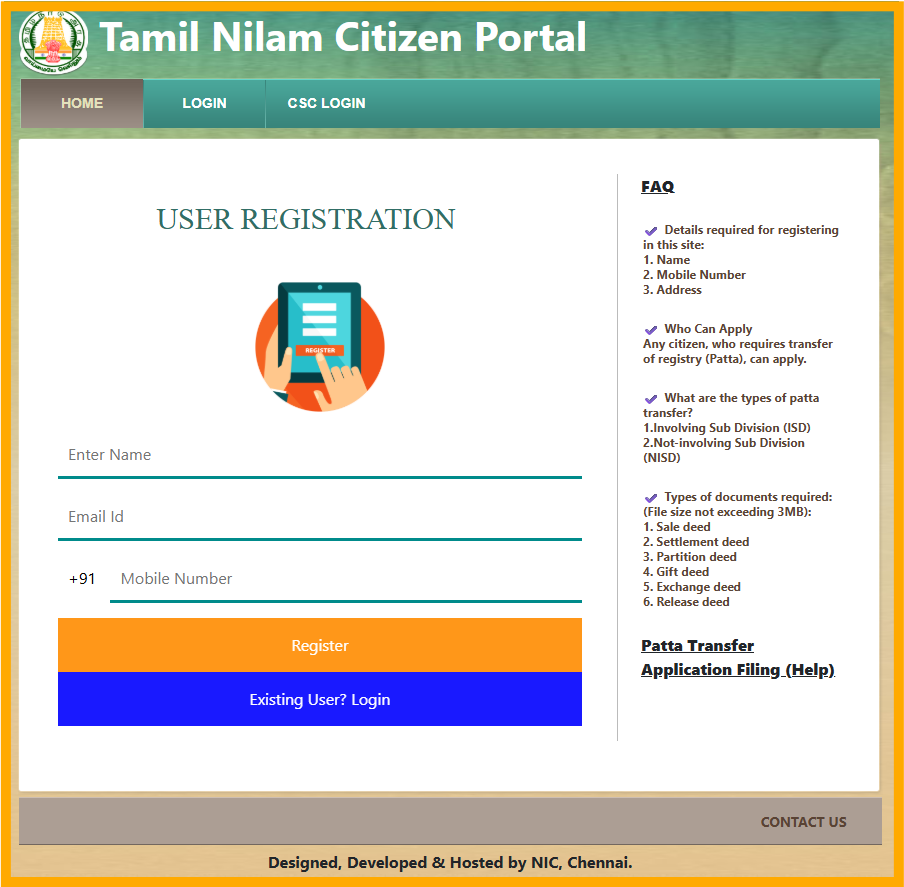
3. Login with your credentials.
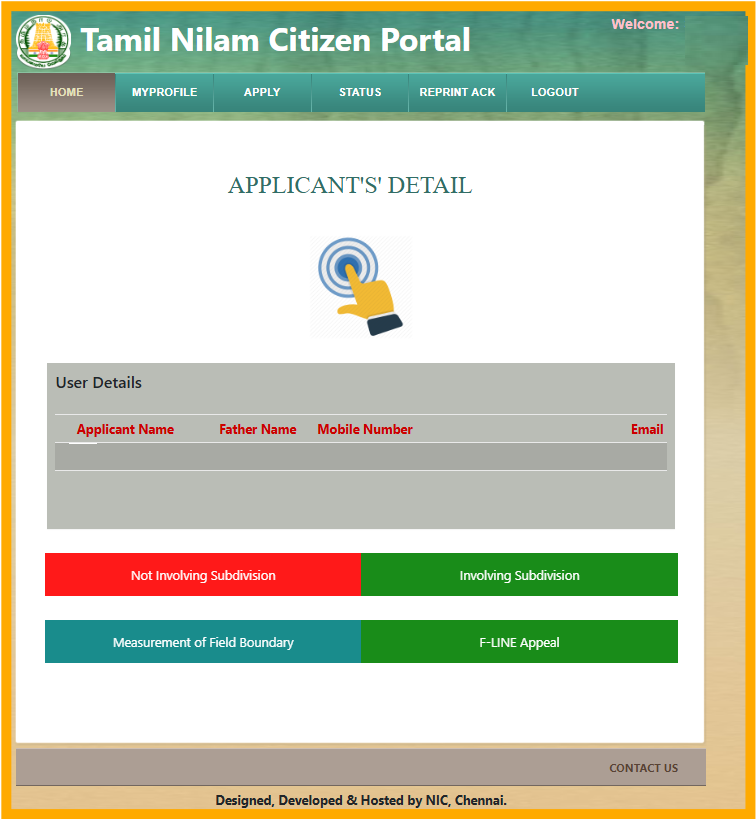
4. Select the Services, which you want to apply.
- Not Involving Sub Division
- Involving Sub Division
- Measurement of Field Boundary
- F-Line Appeal
Watch on You Tube
5. I'm here to click Measurement of Field Boundary and then see the message about the payment, then click Next
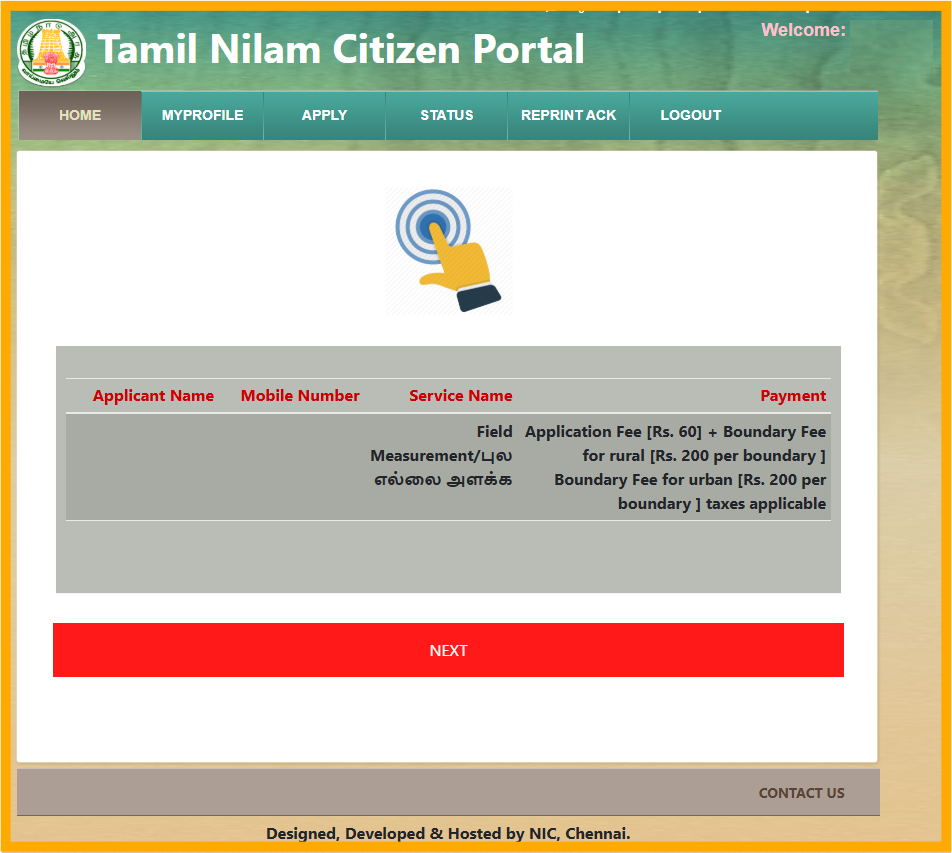
6. Check the applicant details, then click Next
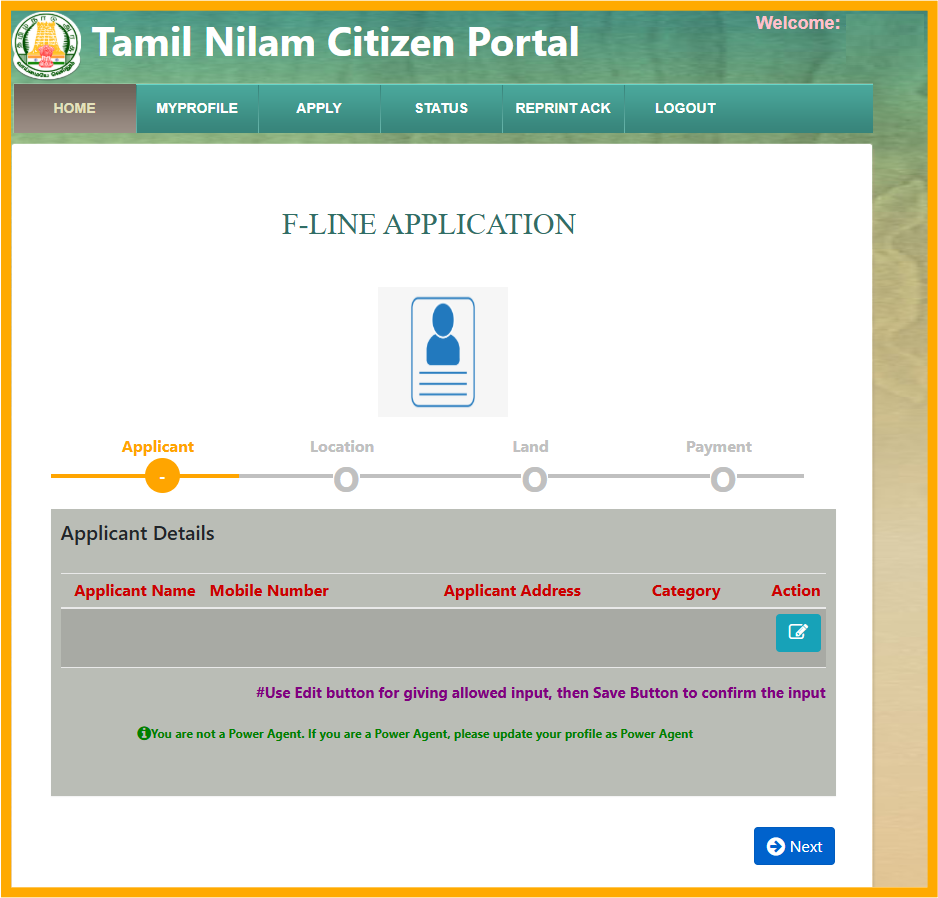
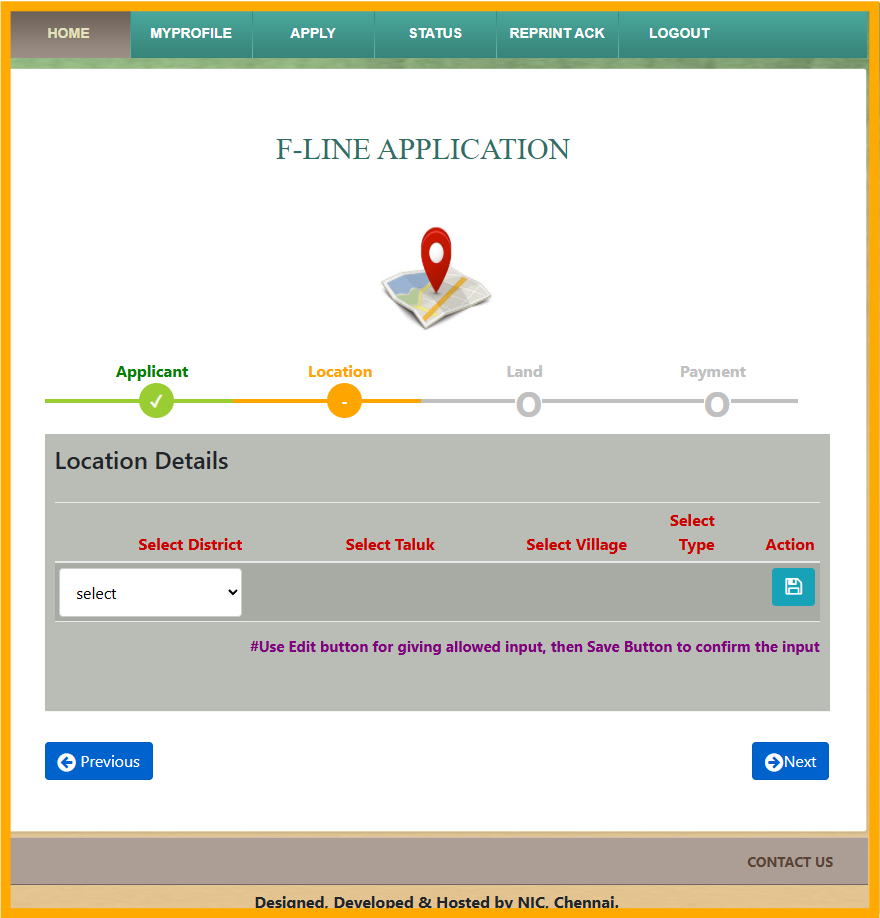
7. Select the land location details, then click Next
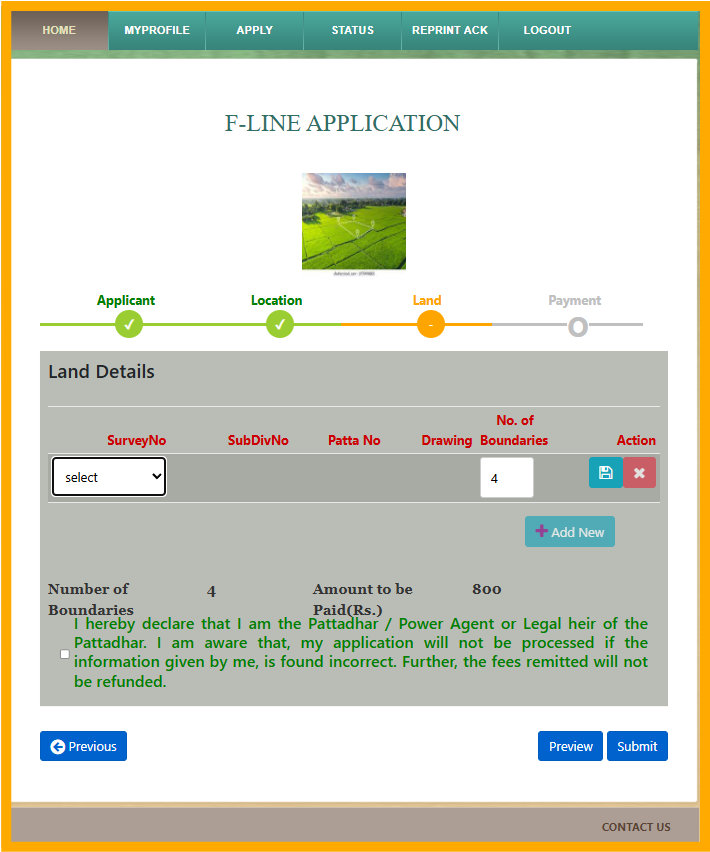
8. Select the land details like survey number, sub division number and boundary details.
by default one land have four boundaries. depending your land enter your land boundaries which you want to measure. read the declaration, then click submit
9. After submit the application, you have to pay the service charge amount through online. after made payment your application will be applied. You will get call from surveyor or Village Administrative Officer. If not get call from them, contact surveyor of your taluk office.
Follow on my Social Media


